Accounting + contracts
Explain what changed
Bring ERP expense activity from CloseCore together with vendor contracts available to your assistant to investigate renewals, price changes, and new subscriptions.

CloseCore MCP
Bring CloseCore into the AI assistant you already use. Combine your accounting data with its other connected tools and sources, then turn the conversation into action.
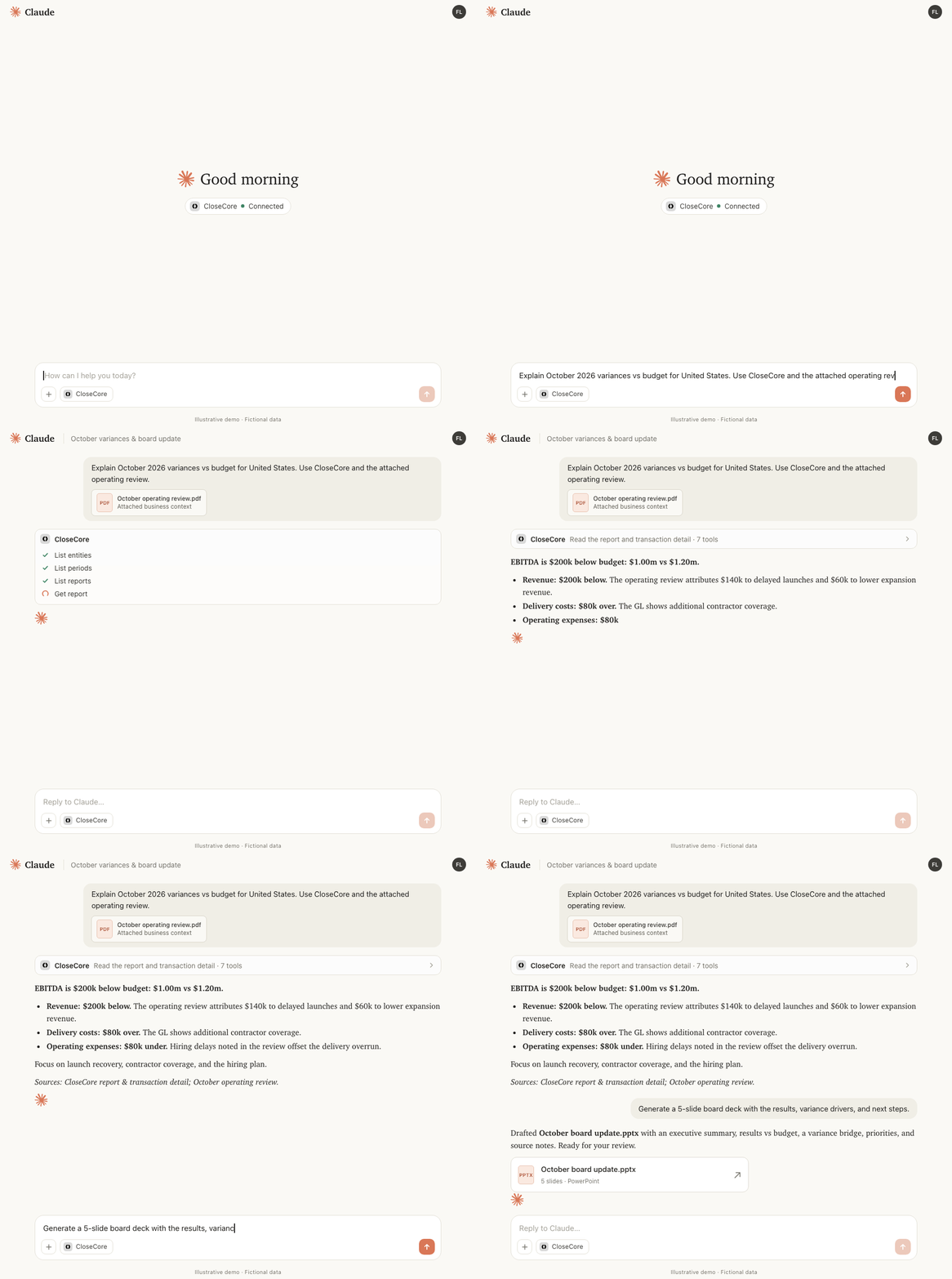
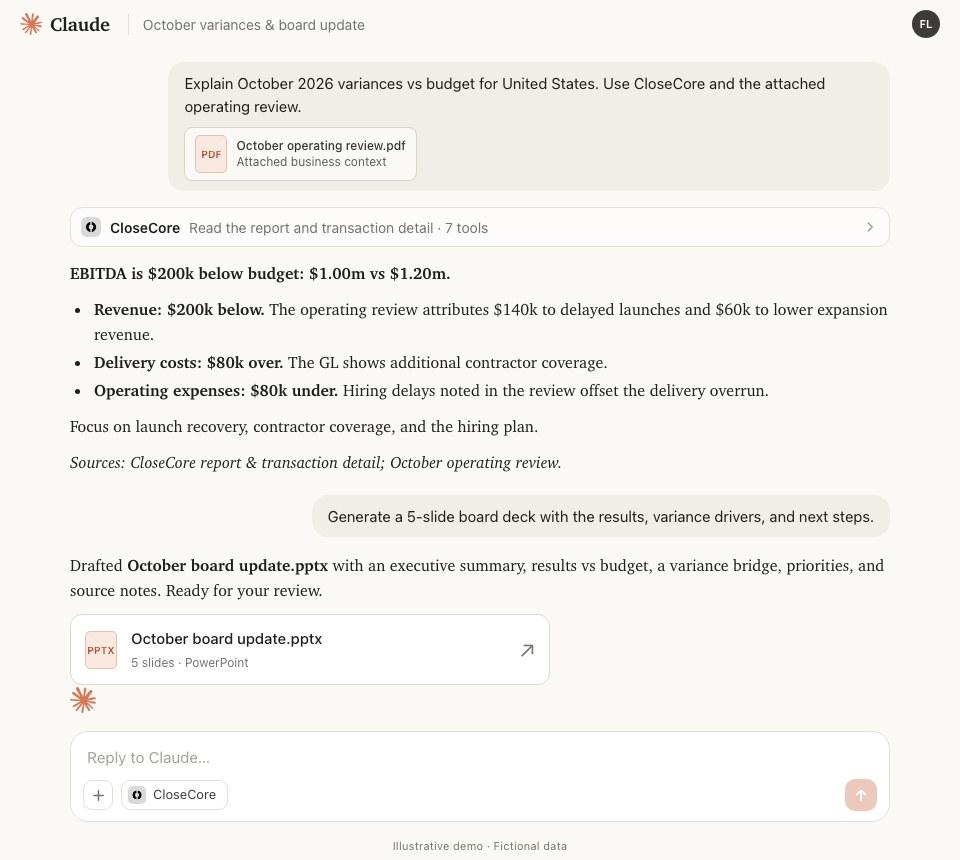
Enterprise intelligence for your close
The explanation often lives somewhere else: in a contract, a customer record, or a planning workbook. MCP makes CloseCore part of the same conversation as the other sources connected to your assistant, so you can work with both the numbers and the context behind them.
Accounting + contracts
Bring ERP expense activity from CloseCore together with vendor contracts available to your assistant to investigate renewals, price changes, and new subscriptions.
Accounting + CRM
Review revenue movements alongside customer and deal information from a connected CRM to help investigate the business activity behind the numbers.
Accounting + spreadsheets
Combine CloseCore report figures with planning spreadsheets your assistant can access to draft management commentary with the relevant assumptions at hand.
Your assistant brings the sources together. Available workflows depend on the tools, files, and permissions you give it.
From insight to action
Ask about your close or investigate a number. Your assistant can use CloseCore to find the accounting context, then bring in relevant information from its other connected sources.
Try asking
“What is holding up the October close across our subsidiaries?”
Find the overdue work, owners, and review notes behind the headline numbers.
Keep the next step with the analysis. Ask your assistant to make supported updates in CloseCore, using the same access you have in the app.
Try asking
“Save this explanation to the software expense Flux item for October.”
Put the explanation where your team reviews the variance.
Use your assistant to help define the work, then let CloseCore agent tasks carry it out within your close workflow.
Try asking
“Help me turn our monthly reconciliation process into a recurring agent task.”
Develop the instructions, test them, and review the output before rolling out the workflow.
Connect with your own CloseCore account. Your assistant works within your role, entity access, and folder permissions.
Connecting an assistant does not grant extra access. CloseCore checks permissions for each requested operation.
Sign-off through MCP is disabled by default. An administrator can enable it, with the usual sign-off rules and checks.
Read ERP data and link existing entries to close tasks. The MCP connector does not post journal entries to your ERP.
See how CloseCore can work alongside the tools and data your team already uses.